
Logs
When something goes wrong - a domain didn't connect, a conversion wasn't counted, an app suddenly stopped - the first question is "what actually happened?". The Logs section (the MANAGE menu group, administrators only) answers it: one feed gathers the panel's events, user actions, received postbacks and the decisions of the traffic distributor.
Record types
| Type | What gets in |
|---|---|
| System | Events of the panel itself: Cloudflare IP-range refresh, statistics sync, licence check, integration errors. Every record has a level (from debug to emergency) and a context - web (during a request) or cron (a background task). |
| Audit | Who changed what: every successful create, update or delete made through the panel or the API. The user, the action, the resource and the list of changed fields with old and new values are recorded. Context ui means an action from the interface, api - via an API key. |
| Postbacks | Every postback received from an affiliate network with the request parameters as they arrived - handy for working out why a conversion wasn't counted. |
| TDS | Decisions of the traffic distributor: which flow was chosen, why a visitor was sent to the white page, whether the app has no offer links. |
Secrets are not logged
In the audit, hidden fields - passwords, tokens, keys - are replaced with a placeholder. The secret token from the postback address is not stored in the record either.
Filters and details
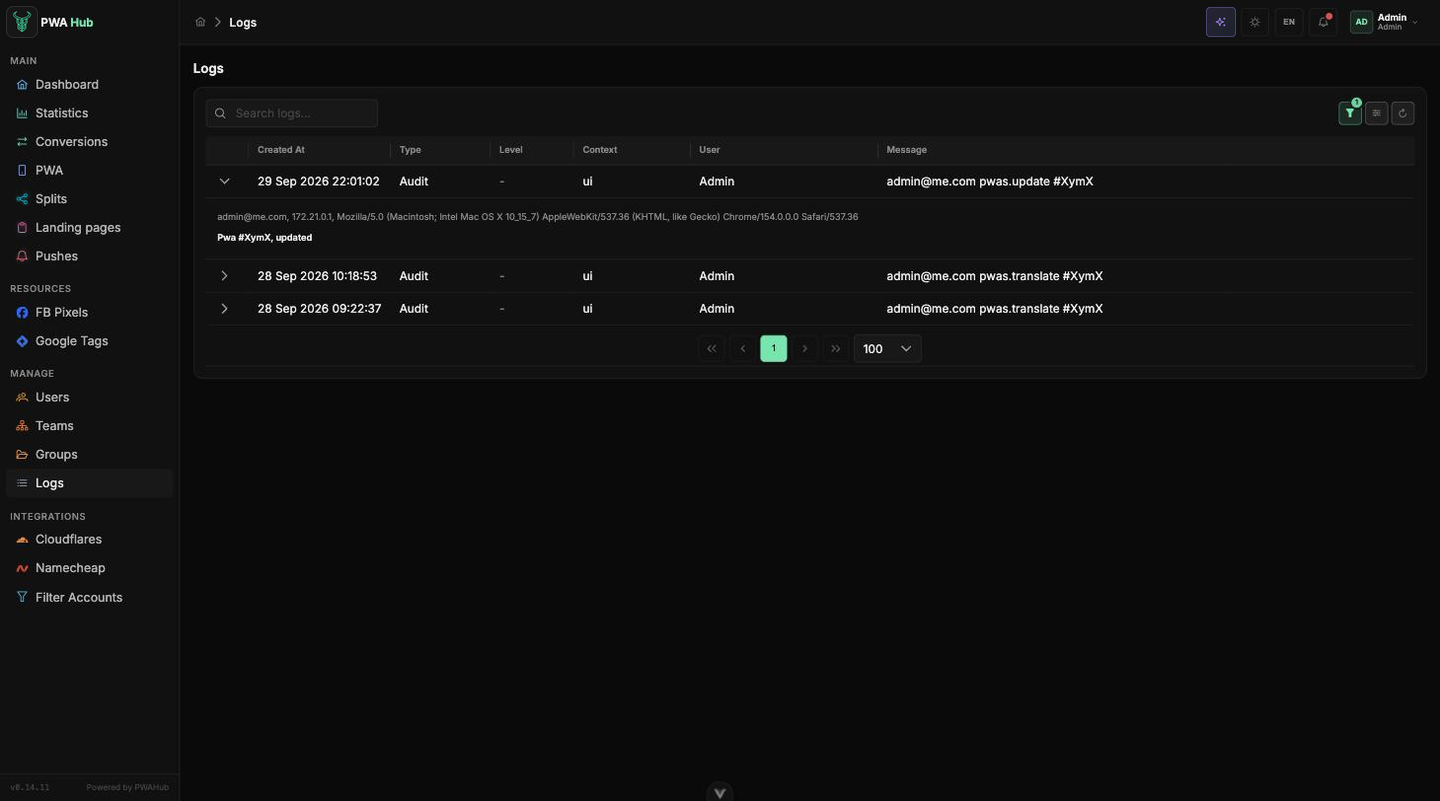
The table holds Created At, Type, Level, Context, User and Message. On the left of the toolbar is a search through the message text, while the filters live in the popover behind the funnel button: period (unlike most lists, this one offers All time, and that is the default), Type, Level, Context and User.
The arrow on the left of a row expands the details: for the audit it is the IP address, the browser and the per-field changes, for system errors - the technical details, for postbacks - the full parameter string.
What changed in an app
Search by the Audit type and the user's name: a line like [email protected] pwas.update #XymX says right away who edited which app, and the expanded details show exactly what changed.
Retention
Logs are not kept forever: each type has its own period in days, and old records are removed once a day. The defaults are 14 days for system and TDS records, 90 for the audit and 30 for postbacks. The periods can be changed in Settings, the Log retention card; the value 0 turns the cleanup off for that type.