
License
PWA Hub runs on a license. While it is active, all sections of the dashboard are open. If there is no active license - right after installation or once the term has expired - the dashboard shows only the license screen and won't let you go any further until you enter a valid key.
How to activate a license
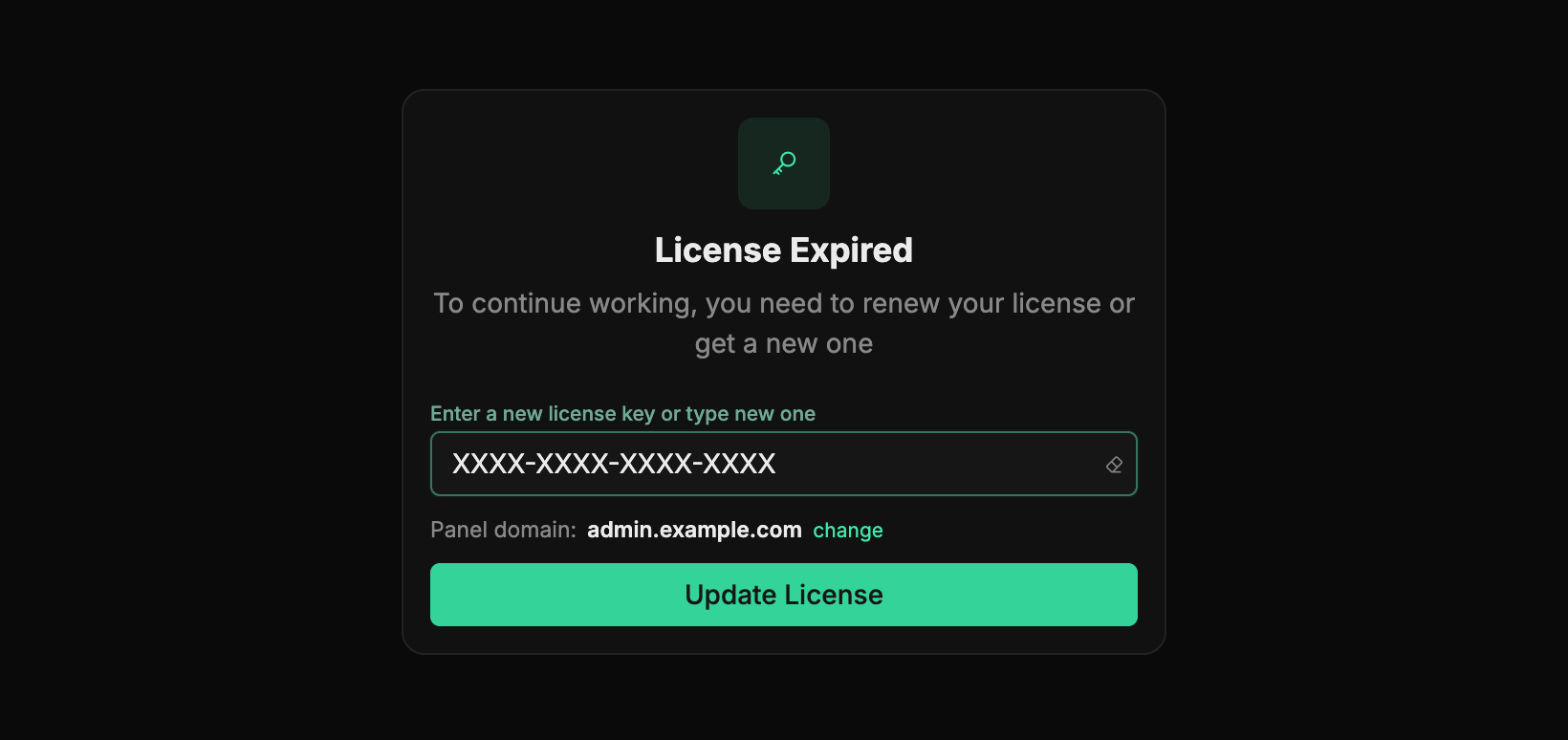
When there is no license, the login opens the License Expired screen with a field for entering a key:
- In the Enter a new license key or type new one field, paste your license key.
- Check the Panel domain line - the domain the panel will open at (for example
admin.<your-domain>or a separate domain). The panel fills in the current address itself; the change link opens it for editing. An IP address instead of a domain is not accepted. - Click Update License.
As soon as the key is accepted, the dashboard is unlocked and the Dashboard opens. The key is entered once - after that the system verifies the license on its own.
Where to get a key
You get the key yourself: sign up at pwahub.org and, in your account, start the free trial or pay for a plan. The key is tied to the panel domain you enter in this very form: any host behind Cloudflare works, except your PWA domains. Before activation the panel is open by the server's IP, afterwards only on this domain.
The key is bound to a single installation
On the first activation the key is firmly bound to a specific installation, and this is permanent. Activating the same key on a different domain or after reinstalling the panel won't work: you'll see a License already bound to another installation error. To move the license to a new installation, contact the vendor - the key can only be unbound on their side.
No need to set the key in files
The license is set right in the dashboard on this screen - there is no need to manually edit the server configuration or any files.
The domain is locked together with the key
After activation Panel domain is locked: the license is bound to this panel address. Changing the domain is only possible through support - together with a license reset on the vendor's side.
Automatic renewal
The key is entered once - after that the dashboard periodically checks and renews the license on a schedule by itself. You don't need to do this manually: as long as the key is fine, renewal happens quietly and all sections stay open.
But if the license key is not configured or its term has expired, automatic renewal fails - and a License refresh failed message appears in the notification bell in the top bar, with an explanation (for example, "LICENSE_KEY is not configured").
To fix this, open the license screen, enter or update the key in the Enter a new license key or type new one field and click Update License - the same way as during the first activation above. After that the checks pass on their own again.
Don't ignore this notification
While renewal isn't going through, the license may stay inactive, and the dashboard will block access to sections. When you see License refresh failed, update the key on the license screen - access will return as soon as the key is accepted.
Access to the license service is required
To renew, the dashboard periodically contacts the license service. If it stays unreachable for a while (for example, the server can't reach pwahub.org), access is temporarily limited even with a valid key. It returns as soon as the first successful check goes through.
If the license has expired
The license screen may also appear while you are working - for example, if the term ends right now. This is not a failure or a loss of data: enter a valid key, click Update License - and everything comes back, and the work you started is preserved.
While the license is inactive
Any attempt to open the Dashboard, PWA, Splits, or Landings returns you to the license screen. Access is restored as soon as the key is activated.
Features depend on your plan
The set of available features and ready-made resources is determined by your license and plan. For example, when creating a PWA on the General tab you choose from the options already available - storefront templates, Cloudflare accounts, and a filter. If some capability is missing, it may not be available on your plan.
Your plan's limits
Besides the set of features, the plan sets concrete limits: the maximum number of active (approved) panel users, domains and teams, plus access to the external API. When a limit is reached, creating a new record is blocked with a Limit reached message, and API keys work only on plans where API access is enabled. If a limit isn't set in the plan, it is unlimited.